Hardware choice
Start with GPU memory, model compatibility and the resources around the accelerator.
From AI experiments to production workloads. Find your next GPU with Xanpath. Explore GPUs.

COMPARE / GPU CLOUDS
Compare your compute requirements, operating model and total cost before choosing your next cloud.
Start with GPU memory, model compatibility and the resources around the accelerator.
Compare the full scope of compute, storage, networking and commercial conditions.
Evaluate GPU capacity together with orchestration, networking and the resources around it.
For CoreWeave, compare gPU, CPU, storage and network resources. A GPU headline price is only one part of the calculation.
Ask Xanpath for a scoped proposal, then evaluate both options using the same hardware requirements and project duration.
Request a comparable quote
Discuss capacity, location and the way your application scales. A single experiment and a production workload need different plans.
Review support, maintenance and resource commitments before choosing an operating model.
Prepare your integration brief# A starting point for your compute brief
workload: language-model-inference
accelerator: nvidia-h100
memory: discuss-with-xanpath
environment: pytorch
region: your-preferred-location
next_step: request-a-proposalInclude workload orchestration and cluster operations in your evaluation.
Record software versions, persistent data, dependencies and rollback steps. Agree what needs to be tested before moving an important workload.
Use the planning guideStart with the workload. Shape the infrastructure around it.
Use matching requirements and current proposals. No assumed savings or unverified performance claims.
| Cost item | CoreWeave | Xanpath |
|---|---|---|
| Accelerated compute configuration | Check the current provider configuration | Request a workload-specific proposal |
| Project duration | Review current billing and commitment terms | Confirm with your proposal |
| Data & storage | Include persistence, traffic and backup costs | Include in your enquiry |
| Supporting resource | Evaluation point | Xanpath enquiry |
|---|---|---|
| CPU & memory | Match allocated resources to the GPU workload | Specify the desired configuration |
| Persistent storage | Compare capacity, performance and retention | Describe datasets and checkpoints |
| Networking | Review topology and data movement | Provide bandwidth and latency targets |
| Evaluation area | CoreWeave | Xanpath |
|---|---|---|
| Compute selection | Accelerated compute configuration | Discuss GPU/CPU configuration |
| Software environment | Workload orchestration and cluster operations | Share OS, driver and framework requirements |
| Availability & region | Verify against the selected provider offer | Confirm in your proposal |
| Support & service conditions | Review the applicable service terms | Agree project requirements |
| Integration | Review the provider’s current documentation | Discuss required interfaces and workflows |
This is a comparison guide, not a provider ranking. Xanpath pricing and capabilities are confirmed individually. For current CoreWeave offerings, use the official CoreWeave information ↗. Guide reviewed 17 September 2026.
Compare GPU memory and architecture against your software and model. Include CPU and storage so that the accelerator can be used effectively.
Use a repeatable test with your own data to compare end-to-end results.
Discuss your evaluation
Write down availability targets, incident responsibilities and maintenance requirements. Confirm the service terms of each proposed configuration.
Evaluate regional constraints and the way data moves between your application and compute resources.
Discuss your evaluationConsider how your team prepares images, accesses machines, stores checkpoints and moves results back into the application.
A clear environment checklist helps identify integration work before the project starts.
Discuss your evaluationStart with the workload. Shape the infrastructure around it.
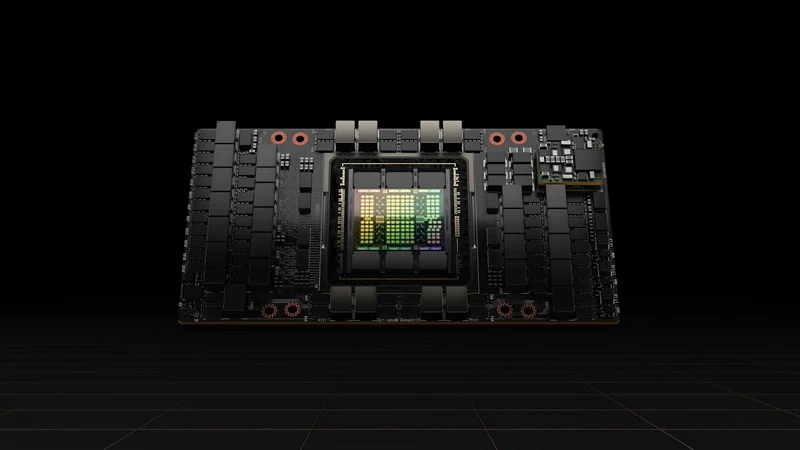 Training · Fine-tuning · Evaluation
Plan your training environment around dataset size, memory needs and the time available for each experiment. Start with a configuration you can evaluate against your own workload.
Illustrative use casePlan a similar project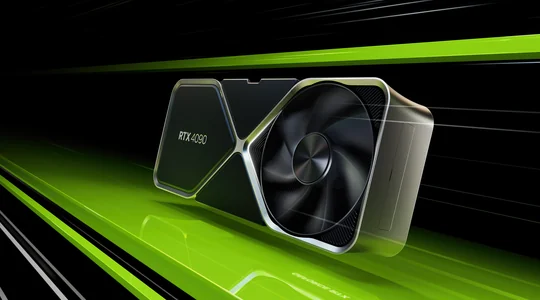 Image generation · Creative pipelines
Image generation brings together models, creative tooling and repeatable pipelines. Balance GPU memory with iteration speed, and include CPU and storage needs in your plan.
Illustrative use casePlan a similar project Research · Simulation · Data analysis
Shape a compute brief around your simulation, research code and dataset. Consider precision requirements, checkpoint storage and reproducibility alongside GPU choice.
Illustrative use casePlan a similar project3D rendering · VisualizationPlan for the size of your scenes, the renderer you use and the number of frames you need to deliver. Include software licensing and output storage in the conversation.
Illustrative use casePlan a similar projectGood infrastructure starts with understanding what you want to build. Xanpath brings the conversation back to your workload, your constraints and your next step.
From GPU selection to the wider compute environment, let’s put the details into a practical plan.