



















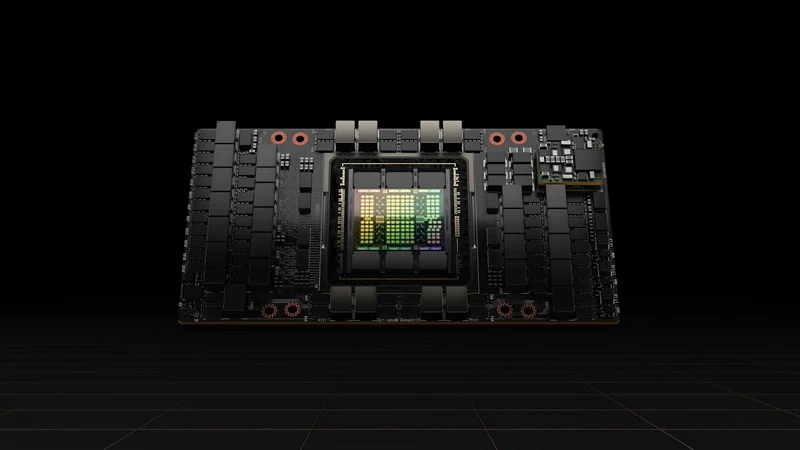
NVIDIA H100 SXM:
Room for your next breakthrough.

Hopper architecture and high-bandwidth memory for compute-intensive AI projects.

80 GB of GPU memory to consider for your model, dataset or creative workflow.

Start with the application. Include GPU count, supporting resources and the environment your team needs.

Discuss availability and pricing with Xanpath. Shape a proposal around your project.

NVIDIA H100 SXM enquiry

Discuss H100 SXM capacity

Share a few details to start the conversation.

Opens a draft in your email app. You review and send it.

80 GBHBM3 GPU memory
HopperNVIDIA architecture
Let’s talkConfiguration & pricing
  • Telelink
  • Bede
  • TEMU
  • Technology partner — teal geometric logo
  • Whale Technology
  • Technology partner — circular white logo
  • University of Gdańsk
  • 7 Gaming
  • ElevenLabs
  • Replit
  • TeaCode
  • Technology partner — blue and green logo
  • Technology partner — multicolored geometric logo
  • Live Interactive
  • ZEEKR
  • Technology partner — red geometric logo
  • CI Games
  • LPP S.A.
  • EGT Digital
  • Joybuy

About the H100 SXM.

NVIDIA H100 SXM

About the H100 SXM

Hopper architecture and high-bandwidth memory for compute-intensive AI projects.

GPU memory is a starting point, not the whole decision. Consider precision, model size, interconnects and the software stack you plan to use.

Server resources, availability and supported features depend on the proposed configuration.

NVIDIA product information
80 GB

HBM3 GPU memory

Hopper

NVIDIA architecture

3.35 TB/s

Memory bandwidth

Your workload

Evaluate with your software and data

The GPU is powerful. The configuration matters.

Prepare a complete brief so that compute, storage and networking work together.

Shape your H100 SXM configuration
ResourceDiscuss with Xanpath
GPU allocationYour required GPU count and whether the application can use multiple GPUs
CPU & system memoryData preparation, loading and the memory needed outside the GPU
StorageDataset, checkpoint and output capacity; persistence and backup
NetworkingPreferred region, latency, bandwidth and traffic volume
H100 project and pricing enquiries
Project durationConfigurationPricing
Short evaluationScope an initial workload and test planRequest a quote
Production projectDiscuss capacity, support and commercial termsRequest a quote
Longer commitmentReview the duration and resource requirementsRequest a proposal

Build around your software.

Share your framework and required versions, along with your operating system and driver constraints.

Include reproducibility, containers and notebook access in your requirements so they can be reviewed together.

Prepare your environment

Keep your data in the picture.

Training data, checkpoints and rendered output all need a storage plan.

Discuss persistence, transfers and recovery responsibilities before choosing a compute configuration.

Plan your integrations
workload.yaml
# A starting point for your compute brief
workload: language-model-inference
accelerator: nvidia-h100
memory: discuss-with-xanpath
environment: pytorch
region: your-preferred-location
next_step: request-a-proposal
Example requirements · No API request

Make room for the next experiment.

Notebooks and reproducible environments can make model development easier to organize.

Include Jupyter, Python packages and framework versions in your requirements. Discuss how the environment will be prepared and accessed for your project.

Prepare your software checklist

Make reliability part of the plan.

A GPU is one part of your infrastructure. Power, networking, access control and maintenance all deserve the same attention.

Discuss your availability targets, backup responsibilities and support needs with us. The agreed service conditions belong in your proposal.

Security & reliability
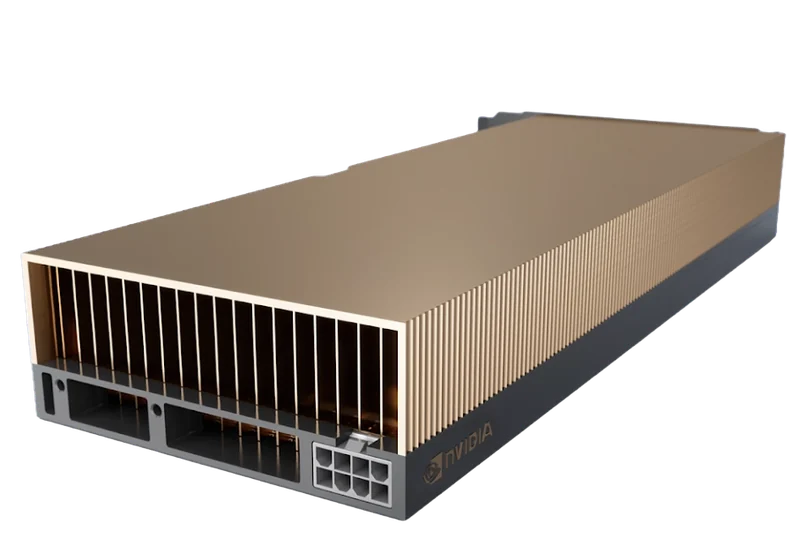
NVIDIA A40 accelerator

A clearer path to
serious compute.

Good infrastructure starts with understanding what you want to build. Xanpath brings the conversation back to your workload, your constraints and your next step.

From GPU selection to the wider compute environment, let’s put the details into a practical plan.

GPUAccelerated workloads
CPUSupporting compute
YouThe starting point
Start a conversation
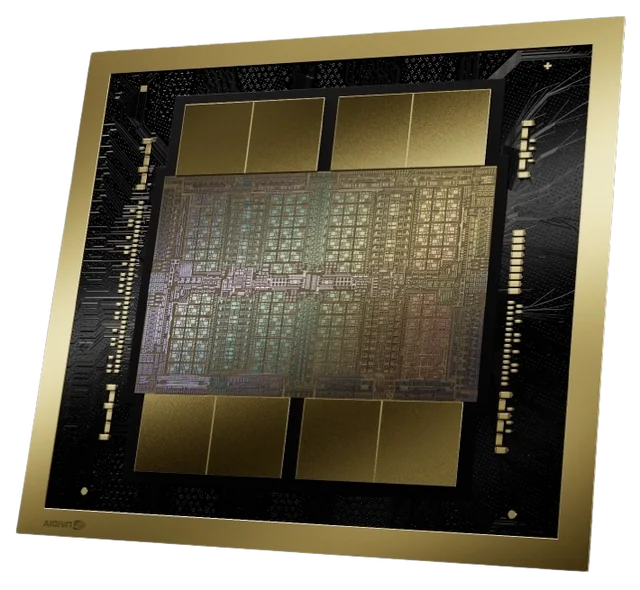
Illustration of a next-generation compute chip

Frequently asked questions

Where can I use this configuration?

Tell us your preferred region and data requirements. Location and availability are confirmed with your proposal.

Will my application run on this GPU?

Check the application’s GPU, memory and software requirements. Share the relevant versions and a sample workload when requesting a configuration.

How should I evaluate performance?

Use your own model or scene, specify precision and batch size, and record the full environment. Hardware specifications alone do not predict end-to-end speed.

Your next H100 SXM project starts here.

Bring your workload. We’ll start with the questions that matter.

Talk to Xanpath
  • Telelink
  • Bede
  • TEMU
  • Technology partner — teal geometric logo
  • Whale Technology
  • Technology partner — circular white logo
  • University of Gdańsk
  • 7 Gaming
  • ElevenLabs
  • Replit
  • TeaCode
  • Technology partner — blue and green logo
  • Technology partner — multicolored geometric logo
  • Live Interactive
  • ZEEKR
  • Technology partner — red geometric logo
  • CI Games
  • LPP S.A.
  • EGT Digital
  • Joybuy